
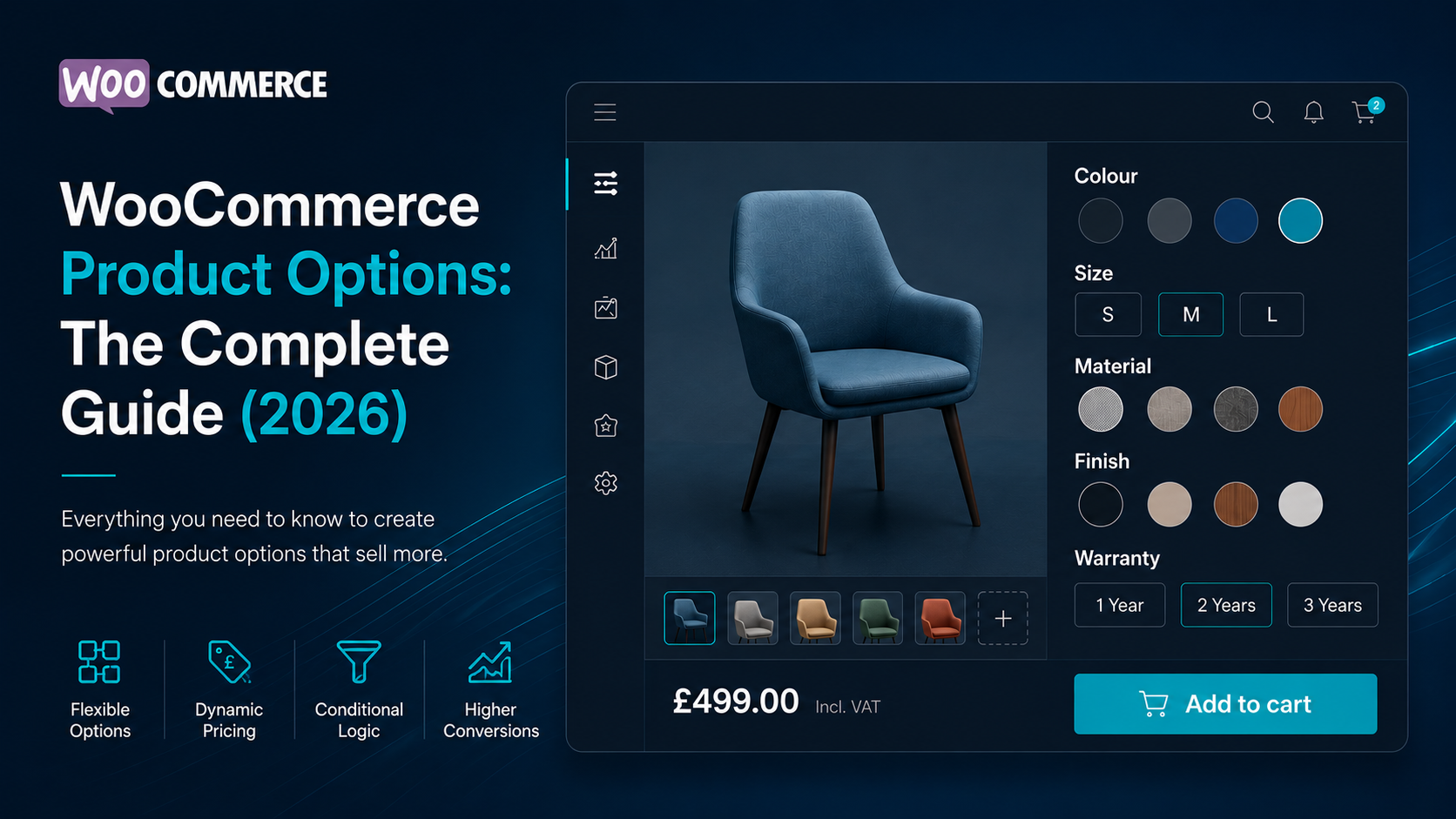
If you’ve ever tried to sell a product with more than a handful of choices in WooCommerce, you’ve probably discovered that product options become surprisingly complicated.
Do you use variations?
Product add-ons?
A product configurator?
Custom fields?
Image swatches?
Buttons instead of dropdowns?
The answer depends on what you’re trying to sell.
WooCommerce is incredibly flexible, but it wasn’t designed around a single way of presenting configurable products. As a result, store owners often install multiple plugins to solve problems that appear similar but are actually quite different.
This guide explains everything you need to know about WooCommerce product options, including the different approaches available, when to use each one, and how to create product pages that are easier for customers to understand and faster to interact with.
Whether you’re selling clothing, software licences, furniture, personalised gifts or configurable services, choosing the right approach can improve both the customer experience and your long-term store management.
| Feature | Variations | Product Options | Product Configurator |
|---|---|---|---|
| Sizes & Colours | ✅ | ✅ | ✅ |
| Dynamic Pricing | Limited | ✅ | ✅ |
| Conditional Logic | ❌ | ✅ | ✅ |
| Image Swatches | Plugin Required | ✅ | ✅ |
| Guided Selling | ❌ | Limited | ✅ |
| Best For | Simple products | Flexible products | Complex products |
What Are WooCommerce Product Options?
Product options are the choices customers can make before adding a product to their basket.
Common examples include:
- Size
- Colour
- Material
- Finish
- Storage capacity
- Warranty
- Subscription length
- Number of user licences
- Engraving or personalisation
- Gift wrapping
Some options simply record information, while others change the product itself.
For example:
- Selecting Red changes the product colour.
- Selecting Lifetime Licence increases the price.
- Selecting Business Package changes both the price and the licence limit.
- Selecting Premium Finish might reveal additional compatible options.
This is where WooCommerce product options become more than simple form fields—they become part of the buying experience.
The challenge is presenting those options in a way that’s intuitive for customers without creating unnecessary complexity for store owners.
Why Product Options Matter
Customers make decisions visually.
Long dropdown menus and confusing option combinations introduce friction into the buying process.
Well-designed product options can help customers:
- Understand available choices more quickly.
- See pricing updates immediately.
- Avoid selecting incompatible combinations.
- Configure products with greater confidence.
- Complete purchases with fewer mistakes.
For stores selling configurable products, improving the option selection experience can have just as much impact as improving the checkout itself.
The goal isn’t simply to provide more options—it’s to make choosing those options feel effortless.
The Different Types of WooCommerce Product Options
Not every WooCommerce product option serves the same purpose.
Some allow customers to customise a product, while others simply collect additional information before purchase.
Understanding the different types of options available makes it much easier to choose the right solution for your store.
Standard Product Variations
WooCommerce variations are built into WooCommerce itself and are ideal for products with predefined combinations.
Typical examples include:
- T-shirts in different sizes and colours
- Shoes available in multiple sizes
- Coffee available in different weights
- Furniture with a choice of finishes
Each variation represents a unique combination of attributes that WooCommerce treats as its own purchasable product.
For many stores, variations are all that’s required.
However, as the number of attributes grows, the number of possible combinations increases rapidly. A product with five colours, six sizes and four materials already requires 120 individual variations before adding any other options.
For simple catalogues this is perfectly manageable.
For larger configurable products, it quickly becomes difficult to maintain.
Product Add-Ons
Product add-ons solve a different problem.
Instead of creating alternative versions of the product, they allow customers to purchase optional extras.
Common examples include:
- Gift wrapping
- Extended warranties
- Personalised engraving
- Custom text fields
- File uploads
- Installation services
These options usually sit alongside the product rather than defining which product is being purchased.
Many successful WooCommerce stores combine configurable product options with product add-ons to provide additional flexibility without creating unnecessary product variations.
Custom Product Options
Custom product option plugins extend WooCommerce beyond its standard variation system.
Rather than limiting customers to dropdown menus, they can introduce interfaces such as:
- Button selectors
- Colour swatches
- Image swatches
- Icon selectors
- Radio groups
- Interactive cards
- Visual selectors
These interfaces often make products significantly easier to configure, particularly on mobile devices where dropdown menus can become cumbersome.
A well-designed option selector allows customers to understand available choices at a glance without opening multiple menus.
Conditional Product Options
Some products require options that only become relevant after another selection has been made.
For example:
A customer selects:
Operating System
- Windows
- macOS
- Linux
Only after choosing Windows should they see Windows-specific licence options.
Likewise, selecting a premium package might reveal additional support plans or enterprise features that aren’t relevant to customers choosing the standard edition.
Conditional product options reduce visual clutter by showing customers only the options they actually need.
Instead of presenting every possible choice upfront, the interface reacts naturally as the product is configured.
Dynamic Pricing Options
Not every option simply changes the product.
Many also affect the price.
Examples include:
- Additional storage
- Premium materials
- Extra user licences
- Extended support
- Larger capacities
- Commercial licences
Dynamic pricing allows prices to update immediately as customers configure their purchase.
Instead of calculating the total after adding the product to the basket, customers always know exactly what they’ll pay before clicking Add to Cart.
This creates a more transparent buying experience and reduces surprises during checkout.
Visual Product Configurators
Visual product configurators take product options a step further.
Instead of simply changing text or prices, they provide visual feedback as customers build their product.
Examples include:
- Image swatches
- Product previews
- Layered product images
- Interactive product builders
- Live component selection
These interfaces are particularly valuable when appearance plays an important role in the purchasing decision.
Being able to see colours, finishes or component combinations before ordering helps customers buy with greater confidence.
Which Type of Product Option Is Best?
There isn’t a single solution that’s right for every WooCommerce store.
Many successful stores combine several approaches.
For example, a software company might use configurable product options to select licence types, dynamic pricing to calculate costs based on user numbers and product add-ons to offer premium onboarding services.
A clothing retailer might combine variations with image swatches to make selecting colours more intuitive.
Meanwhile, a furniture manufacturer may use a visual configurator with conditional logic to guide customers through hundreds of possible combinations without overwhelming them.
The best WooCommerce product option system is the one that presents choices clearly, keeps administration manageable and allows customers to complete purchases with confidence.
WooCommerce Product Options vs Product Variations
One of the most common questions store owners ask is whether they should use product options or product variations.
The truth is that they solve different problems.
Choosing the right approach depends on how your products are sold and how much flexibility your customers need during the buying process.
When Product Variations Are the Right Choice
WooCommerce variations are perfect when each combination represents a genuine version of the product.
For example:
- A T-shirt available in three colours and four sizes.
- A coffee blend sold in different weights.
- A phone case made for different phone models.
Each combination has its own SKU, stock level and purchasable variation.
For relatively small catalogues, WooCommerce’s built-in variation system works extremely well.
It integrates seamlessly with inventory management, shipping, pricing and reporting.
If your products only have a handful of combinations, there’s often no reason to replace it.
Where Variations Become Difficult
The challenge appears when products become increasingly configurable.
Imagine a custom gaming PC with options for:
- Processor
- Graphics card
- Memory
- Storage
- Cooling
- Power supply
- Operating system
- Warranty
Using variations alone would require creating every possible combination.
As more attributes are introduced, the number of required variations grows exponentially, making products increasingly difficult to manage.
Even much simpler products can become cumbersome once additional choices are introduced.
A software licence, for example, may need options for licence duration, number of users, support level and deployment type.
Although these combinations could technically be built using variations, maintaining them quickly becomes time-consuming.
How Product Options Improve Flexibility
Rather than treating every possible combination as a separate variation, product options allow customers to build their purchase interactively.
Instead of selecting from long dropdown menus, they can make decisions step by step using interfaces such as:
- Button selectors
- Image swatches
- Colour swatches
- Interactive cards
- Visual selectors
As customers make selections, prices can update instantly and additional options can appear only when relevant.
This creates a guided buying experience rather than forcing customers to navigate every available option themselves.
Can You Use Both Together?
Absolutely.
In fact, many WooCommerce stores benefit from combining both approaches.
For example, a clothing retailer might continue using standard WooCommerce variations to manage stock for sizes and colours while introducing richer product options to improve the user interface through button selectors or image swatches.
Likewise, a software company may sell a simple product while allowing customers to configure licence types, user quantities and support plans using product options rather than creating dozens of individual variations.
The two systems complement one another rather than competing.
The Best Approach Depends on Your Store
There isn’t a universal answer.
If every combination requires its own inventory and stock management, WooCommerce variations remain an excellent solution.
If your priority is creating a smoother buying experience with interactive pricing, guided selling and conditional logic, configurable product options often provide greater flexibility.
Many modern WooCommerce stores successfully combine both techniques, using variations where they make sense and product options where they simplify the customer’s journey.
The goal isn’t to replace WooCommerce’s built-in functionality—it’s to give customers the easiest possible path from choosing a product to completing a purchase.
Buttons vs Dropdowns vs Image Swatches
How you present product options can have just as much impact as the options themselves.
WooCommerce’s default variation system uses dropdown menus, and while they work well for simple products, they aren’t always the most intuitive way for customers to configure a purchase.
Modern stores increasingly replace dropdowns with buttons, colour swatches and image selectors to create a faster, more visual buying experience.
Dropdown Menus
Dropdowns have been part of WooCommerce since the beginning and remain a solid choice for straightforward products.
They work well when:
- There are many possible values.
- The options don’t need visual previews.
- Customers already know what they’re looking for.
However, dropdowns also have limitations.
Customers must click to reveal available choices, making it harder to compare options at a glance. On mobile devices, navigating several dropdowns can also become repetitive, particularly when configuring products with multiple attributes.
For stores selling configurable products, dropdowns often prioritise functionality over user experience.
Button Selectors
Buttons present every available option immediately.
Instead of opening a menu, customers simply click the choice they want.
This approach offers several advantages:
- All available options remain visible.
- Larger touch targets improve mobile usability.
- The currently selected option is immediately obvious.
- Configuration feels faster and more interactive.
Buttons are particularly effective for products with a limited number of choices, such as licence durations, subscription plans, warranty periods or package sizes.
Colour Swatches
Some products benefit from visual selectors rather than text alone.
Colour swatches allow customers to see available colours instantly without reading a list of names.
For example, choosing between:
- Black
- White
- Navy
- Forest Green
is often much easier when those colours are displayed visually.
This reduces mistakes and makes product pages feel considerably more modern.
Colour swatches are especially popular for:
- Clothing
- Footwear
- Furniture
- Home décor
- Accessories
Image Swatches
Image swatches extend the same idea even further.
Instead of displaying coloured circles, each option displays a product image or thumbnail.
Customers can immediately compare finishes, materials, patterns or product styles without repeatedly changing selections.
Examples include:
- Flooring samples
- Fabric finishes
- Kitchen worktops
- Mobile phone colours
- Vehicle accessories
- Personalised gifts
For products where appearance plays an important role in purchasing decisions, image swatches can significantly improve the buying experience.
Which Option Performs Best?
There isn’t a universal winner.
Each interface has strengths depending on the product being sold.
Dropdowns remain practical for products with many possible values.
Buttons are ideal for quick decisions involving a relatively small number of options.
Colour swatches provide an intuitive way to present colour choices.
Image swatches work best whenever customers need to compare the appearance of different options before purchasing.
Many WooCommerce stores successfully combine multiple option types on the same product page.
For example, a furniture retailer might use:
- Colour swatches for fabric.
- Buttons for dimensions.
- Image swatches for leg styles.
- Dropdowns for less frequently used technical specifications.
Matching the interface to the type of decision being made creates a smoother, more enjoyable purchasing experience.
The Goal Is Simplicity
The purpose of product options isn’t to impress customers with clever technology.
It’s to help them make confident purchasing decisions as quickly as possible.
When customers can immediately understand the available choices, see the effects of their selections and complete their purchase without unnecessary friction, everyone benefits.
Choosing the right combination of buttons, dropdowns and swatches can make a product page feel dramatically more intuitive without changing the product itself.
Conditional Product Options
One of the biggest problems with traditional product pages is that they often present every available option at once.
Customers are expected to work through long lists of dropdowns, many of which may not even be relevant to the product they’ve chosen.
This can quickly become overwhelming.
Conditional product options solve this problem by displaying options only when they’re needed.
Instead of presenting every possible choice upfront, the product page adapts naturally as customers make selections.
The result is a cleaner interface and a more intuitive buying experience.
How Conditional Logic Works
Conditional logic creates relationships between product options.
A customer’s previous selection determines which options appear next.
For example, imagine a software company selling three licence types:
- Personal
- Business
- Enterprise
A Personal licence may require no further configuration.
A Business licence could reveal additional options such as:
- Number of users
- Priority support
- Deployment type
An Enterprise licence might introduce:
- Dedicated account manager
- On-premise installation
- Service level agreements
Customers only see the options that are relevant to the licence they’ve selected.
Everything else remains hidden.
Reducing Choice Overload
Psychologists have long studied the effect of excessive choice on purchasing decisions.
When customers are presented with too many options at once, decision-making becomes slower and abandonment rates often increase.
This phenomenon is sometimes referred to as choice overload.
Conditional product options reduce cognitive load by breaking configuration into smaller, more manageable decisions.
Rather than asking customers to process twenty options simultaneously, the interface guides them through the product one logical step at a time.
The experience feels less like completing a complicated form and more like having a conversation.
Real-World Examples
Conditional logic is useful across many different industries.
Software licensing
Selecting a licence tier reveals only the options available for that plan.
Furniture
Choosing a wooden frame displays timber finishes, while selecting a metal frame displays powder-coating colours instead.
Computer builders
Selecting a processor automatically limits compatible motherboard options.
Food ordering
Choosing a pizza size reveals pricing, while selecting a stuffed crust unlocks additional toppings.
Subscription services
Business plans display team management features, while personal plans keep the interface simple.
In each case, customers only interact with information that’s relevant to their purchase.
Easier Products, Better Decisions
Conditional product options don’t simply make product pages look cleaner.
They help customers avoid mistakes.
Showing incompatible options can lead to confusion, incorrect orders and additional support requests.
By guiding customers through a logical configuration process, conditional logic helps ensure that every completed purchase represents a valid product configuration.
Better User Experience on Mobile
Conditional interfaces become even more valuable on smaller screens.
Mobile users have limited screen space and often configure products using touch controls.
Presenting dozens of irrelevant options can create long, difficult-to-navigate product pages.
By revealing information progressively, conditional product options keep mobile layouts shorter, easier to scan and significantly more user-friendly.
Building Guided Selling Experiences
Conditional logic forms the foundation of guided selling.
Rather than asking customers to understand every available option immediately, the store guides them through the configuration process step by step.
This approach is particularly effective for products that involve multiple decisions or technical specifications.
Instead of forcing customers to become product experts, the interface naturally leads them towards an appropriate configuration.
For many WooCommerce stores, this results in a purchasing experience that feels faster, more intuitive and considerably less intimidating than traditional variation-based product pages.
Dynamic Pricing: Making Product Options Work Smarter
For many WooCommerce stores, product options don’t just change the product—they change the price.
Whether you’re selling software licences, furniture upgrades, personalised products or commercial services, customers increasingly expect pricing to update as they configure their purchase.
Dynamic pricing makes this possible.
Instead of displaying a fixed price and calculating adjustments later, the total updates immediately as each option is selected.
Customers always know what they’ll pay before adding the product to their basket.
Why Dynamic Pricing Matters
Transparent pricing builds confidence.
Imagine configuring a product with several optional upgrades but having no idea how much they’ll cost until checkout.
Most customers find this frustrating.
Live pricing removes that uncertainty.
As options are selected, customers can immediately see how each decision affects the total cost.
This creates a purchasing experience that feels responsive, predictable and easier to understand.
Common Types of Dynamic Pricing
Different products require different pricing models.
Some of the most common approaches include:
Fixed Price Adjustments
Each option adds or subtracts a fixed amount.
For example:
- Extended warranty: +£50
- Premium packaging: +£15
- Installation service: +£99
This is the simplest form of dynamic pricing and works well for optional upgrades.
Percentage-Based Pricing
Some options adjust the total by a percentage rather than a fixed amount.
For example:
- Commercial licence: +25%
- Premium material: +15%
- Express production: +10%
Percentage pricing allows upgrades to scale naturally with higher-value products.
Quantity Multipliers
Certain products are priced according to quantity rather than individual upgrades.
Examples include:
- Number of software users
- Business licences
- Event tickets
- Storage capacity
- Additional workstations
Instead of manually calculating costs, customers simply choose the quantity and the total updates instantly.
This creates a much smoother purchasing experience for products that scale with usage.
Tiered Pricing
Many businesses offer discounts or pricing structures that change depending on the customer’s selections.
For example:
- 1–5 users
- 6–25 users
- 26–100 users
- Enterprise pricing
Rather than displaying a complicated pricing table elsewhere on the page, the configurator can calculate the correct price automatically as customers build their order.
Dynamic Pricing Beyond Physical Products
Although dynamic pricing is often associated with physical goods, it’s equally valuable for digital businesses.
Examples include:
- Software licensing
- SaaS subscriptions
- Consulting packages
- Online training
- Memberships
- Professional services
These businesses frequently price products according to licence type, number of users or support level rather than physical inventory.
Dynamic pricing allows customers to understand those costs immediately without manually calculating totals.
Improving Customer Confidence
One of the biggest advantages of dynamic pricing is that it reduces uncertainty.
Customers don’t need to estimate costs or worry about unexpected charges appearing later.
Every pricing adjustment is visible as it happens.
This transparency makes purchasing decisions easier and often encourages customers to explore additional options because they can immediately see the financial impact of each upgrade.
Keeping Pricing Flexible
As businesses evolve, pricing models often become more sophisticated.
Stores may introduce:
- New licence tiers
- Subscription plans
- Optional services
- Quantity discounts
- Seasonal promotions
- Premium upgrades
Choosing a product option system that supports flexible pricing makes it much easier to adapt without rebuilding product pages or creating dozens of separate variations.
The more naturally pricing can respond to customer choices, the easier it becomes to create configurable products that are both powerful and straightforward to purchase.
Performance: Why Some WooCommerce Product Option Plugins Feel Faster Than Others
Performance is often overlooked when comparing WooCommerce product option plugins.
Most feature comparison tables focus on what a plugin can do:
- Conditional logic
- Dynamic pricing
- Image swatches
- Product builders
- Personalisation
But an equally important question is:
How efficiently does it do it?
Customers rarely notice the technology behind a product page.
They do notice when selections feel slow, prices take time to update or the page unexpectedly shifts as they interact with it.
A responsive interface creates confidence.
A sluggish one can interrupt the buying journey.
The Importance of Responsive Product Pages
Every interaction on a product page is an opportunity to either reinforce or break the customer’s flow.
When a customer changes an option, they expect the page to respond immediately.
That might involve:
- Updating the displayed price.
- Showing or hiding relevant options.
- Changing product images.
- Updating descriptive text.
- Enabling or disabling compatible selections.
The faster these updates occur, the more natural the buying experience feels.
Why Implementations Differ
Not all WooCommerce product option plugins work in the same way.
Some rely heavily on server-side requests, sending information back to the server whenever customers change an option.
Others perform most updates directly within the browser after the page has loaded.
Both approaches have advantages depending on the type of interaction being performed.
For example, inventory checks or shipping calculations may legitimately require communication with the server, while many interface updates can happen instantly on the client without waiting for another request.
Understanding this distinction helps explain why some configurators feel significantly more responsive than others.
Reducing Unnecessary Page Updates
A well-designed configurator should only update the parts of the page that actually need to change.
If a customer switches from a one-year licence to a lifetime licence, there’s rarely any reason to rebuild the entire product page.
Instead, only the relevant elements should update:
- The displayed price.
- The selected option.
- Any related conditional content.
Keeping updates focused reduces unnecessary work and creates a smoother experience.
Performance Beyond Loading Speed
Many store owners measure performance using page load times alone.
While loading speed is important, interaction speed matters just as much.
Once a page has loaded, customers expect every click, tap and selection to feel immediate.
This is especially important on mobile devices, where delays are often more noticeable.
Fast interactions encourage customers to continue configuring products rather than abandoning the process.
Core Web Vitals and User Experience
Google’s Core Web Vitals encourage websites to provide stable, responsive experiences.
Metrics such as loading performance and layout stability are useful indicators of overall page quality.
When building configurable product pages, it’s worth considering not only how quickly the page loads, but also how stable it remains while customers interact with it.
For example, showing or hiding conditional options will naturally change the page layout because new information is appearing or disappearing. The goal isn’t to eliminate these changes entirely, but to ensure they happen smoothly and predictably as part of the customer’s interaction, rather than unexpectedly during page load.
A responsive, well-structured interface generally provides a better experience than one where updates feel delayed or inconsistent.
Choosing Performance-Conscious Solutions
Performance isn’t determined by a single feature.
It’s the result of hundreds of implementation decisions working together.
When evaluating WooCommerce product option plugins, consider questions such as:
- Does the interface respond quickly to customer selections?
- Are prices updated immediately?
- Is the product page easy to navigate on mobile devices?
- Does the plugin minimise unnecessary processing?
- Does it integrate cleanly with WooCommerce rather than replacing it?
A fast, responsive buying experience benefits everyone.
Customers spend less time waiting, merchants create more engaging product pages and stores are better positioned to deliver the smooth shopping experience that modern customers expect.
How to Choose the Right WooCommerce Product Options Plugin
By this point, it’s clear that there isn’t a single approach that’s right for every WooCommerce store.
The best product options plugin isn’t necessarily the one with the longest feature list.
It’s the one that helps your customers configure products quickly while remaining straightforward to manage as your business grows.
Before choosing a plugin, it’s worth considering a few important questions.
Does It Match Your Products?
Start by thinking about what you’re actually selling.
Different businesses have different requirements.
A clothing retailer may simply need colour swatches and size selectors.
A software company might require licence tiers, dynamic pricing and conditional options.
A furniture manufacturer may need visual selectors alongside configurable finishes and dimensions.
Understanding your own products makes it much easier to identify which features genuinely add value.
Is the Buying Experience Simple?
Customers shouldn’t have to work hard to buy your products.
The best product option systems reduce friction rather than adding it.
Look for features such as:
- Clear option selectors
- Logical product configuration
- Live price updates
- Visual feedback
- Mobile-friendly controls
- Conditional options that reduce unnecessary choices
A simpler buying journey often leads to more confident purchasing decisions.
Will It Scale With Your Business?
Your requirements today may be very different in a year’s time.
As your business grows, you may introduce:
- Additional products
- New pricing models
- More complex configuration rules
- Product bundles
- Subscription plans
- Team or enterprise licensing
Choosing a flexible solution from the beginning makes future expansion considerably easier.
Is It Easy to Manage?
Customers only see the frontend.
You’ll spend most of your time managing products inside WordPress.
A good product options plugin should make creating and maintaining products straightforward.
Adding new options, updating prices and adjusting product configurations should feel organised rather than repetitive.
Good administration tools often save far more time than flashy frontend features.
Does It Integrate Well With WooCommerce?
WooCommerce has become one of the largest eCommerce ecosystems in the world.
Most stores already rely on additional plugins for:
- SEO
- Caching
- Payments
- Shipping
- Analytics
- Marketing
- Memberships
A product options plugin should complement that ecosystem rather than working against it.
Choosing solutions that integrate naturally with WooCommerce generally results in fewer compatibility issues and a smoother long-term experience.
Is Performance a Priority?
As configurable products become more sophisticated, performance becomes increasingly important.
Customers expect prices, selections and product information to respond immediately as they interact with the page.
A responsive interface helps products feel modern and polished.
When evaluating plugins, consider not only the available features but also how efficiently those features are delivered.
Small improvements in responsiveness can have a noticeable impact on the overall buying experience.
Documentation and Ongoing Development
A plugin is rarely a one-time purchase.
WooCommerce continues to evolve, WordPress introduces new features and customer expectations change over time.
Choosing a plugin that receives regular updates, clear documentation and active support helps ensure your store remains reliable in the future.
Active development is often one of the strongest indicators that a plugin will continue improving alongside the wider WooCommerce ecosystem.
Why Many Stores Choose Woo State Configurator
Woo State Configurator was built around a simple idea:
Modern WooCommerce stores shouldn’t have to choose between interactive product pages and excellent performance.
Instead of replacing WooCommerce’s product system, Woo State Configurator enhances it with responsive product options designed for today’s stores.
Features include:
- Button selectors
- Colour and image swatches
- Conditional product options
- Dynamic pricing
- Sale pricing
- Quantity multiplier pricing
- Custom option metadata
- Unlimited products and option groups
- Lightweight reactive architecture built on State.js
The plugin is available in both Free and Pro editions.
The free version provides everything needed to replace traditional dropdowns with a more interactive configuration experience, while Pro introduces advanced capabilities for businesses that require conditional logic, more sophisticated pricing models and additional configuration features.
Whether you’re selling physical products, digital downloads, software licences or configurable services, the goal remains the same:
Help customers configure products quickly, understand pricing clearly and complete purchases with confidence.
Frequently Asked Questions
What are WooCommerce product options?
WooCommerce product options allow customers to customise a product before adding it to their basket. Options can include colours, sizes, materials, licence types, warranties, engraving, gift wrapping and many other configurable choices. Depending on the plugin being used, product options may also support image swatches, conditional logic and dynamic pricing.
What’s the difference between WooCommerce product options and variations?
Product variations represent predefined versions of a product, each with its own combination of attributes.
Product options focus on the buying experience by allowing customers to configure products using interfaces such as buttons, image swatches and conditional logic. Many WooCommerce stores successfully use both together.
Can product options change the price?
Yes.
Many WooCommerce product option plugins support dynamic pricing, allowing prices to update automatically when customers select different options.
Examples include:
- Fixed price increases
- Percentage adjustments
- Quantity multipliers
- Licence pricing
- Premium upgrades
- Optional services
This allows customers to see the total cost before adding the product to their basket.
Are WooCommerce product options mobile friendly?
They can be.
Modern product option plugins often replace traditional dropdown menus with larger touch-friendly controls such as buttons, colour swatches and image selectors, making configurable products easier to use on phones and tablets.
Can I replace WooCommerce variation dropdowns?
Yes.
Many stores choose to replace standard dropdown menus with more visual interfaces such as:
- Button selectors
- Colour swatches
- Image swatches
- Interactive product cards
These alternatives often improve usability while making configurable products feel more modern.
Do product options work with simple products?
Absolutely.
Product options aren’t limited to variable products.
Many stores use them with simple products to offer upgrades, licence types, optional services or dynamic pricing without creating dozens of separate product variations.
Can product options improve conversions?
While no plugin can guarantee higher conversion rates, presenting products more clearly often helps customers complete purchases with greater confidence.
Features such as visual selectors, conditional logic and live pricing can reduce confusion and make configurable products easier to understand.
Do product option plugins affect performance?
Performance depends on the individual plugin and how it has been implemented.
Some prioritise lightweight interactions and efficient updates, while others provide extensive functionality that may require additional processing.
When choosing a solution, it’s worth considering both its features and the overall experience it delivers to customers.
What’s the best WooCommerce product options plugin?
The best plugin depends on your requirements.
When comparing solutions, consider factors such as:
- Ease of use
- Dynamic pricing
- Conditional product options
- Image and colour swatches
- Performance
- Compatibility
- Ongoing support
Choosing a plugin that matches both your products and your long-term business goals will usually provide the best results.
Is Woo State Configurator suitable for beginners?
Yes.
Woo State Configurator is designed to work with standard WooCommerce products while providing a more interactive configuration experience.
The Free edition allows merchants to begin creating configurable products immediately, while the Pro edition introduces advanced capabilities such as conditional logic, sale pricing, quantity multiplier pricing and custom option metadata for more complex product catalogues.
Final Thoughts
WooCommerce product options have evolved far beyond simple dropdown menus.
Today’s customers expect responsive, interactive product pages that make choosing options feel effortless rather than confusing.
Whether you’re selling clothing, furniture, software licences, digital products or personalised goods, the way customers configure your products can have a significant impact on their overall shopping experience.
The right combination of product options, dynamic pricing, conditional logic and visual selectors doesn’t just improve the appearance of a product page—it helps customers understand their choices, reduces friction during the buying process and makes configurable products easier to purchase.
For many stores, WooCommerce’s built-in variations will continue to be the right solution.
For others, introducing a modern product options system provides the flexibility needed to create richer, more intuitive buying experiences without unnecessarily increasing product complexity.
If you’re looking for a lightweight, performance-focused approach to configurable WooCommerce products, Woo State Configurator is available in both Free and Pro editions.
The Free version provides an easy way to build interactive product pages using buttons, image swatches and responsive product options.
When your store grows, the Pro edition adds advanced features including conditional product options, dynamic pricing, sale pricing, quantity multipliers and custom metadata, allowing you to build increasingly sophisticated product experiences without sacrificing usability.
Ultimately, the best WooCommerce product options are the ones that help customers make decisions quickly, understand pricing clearly and purchase with confidence.
As eCommerce continues to evolve, creating simple, intuitive product pages isn’t just a design choice—it’s becoming an essential part of delivering an outstanding online shopping experience.
Leave a Reply