
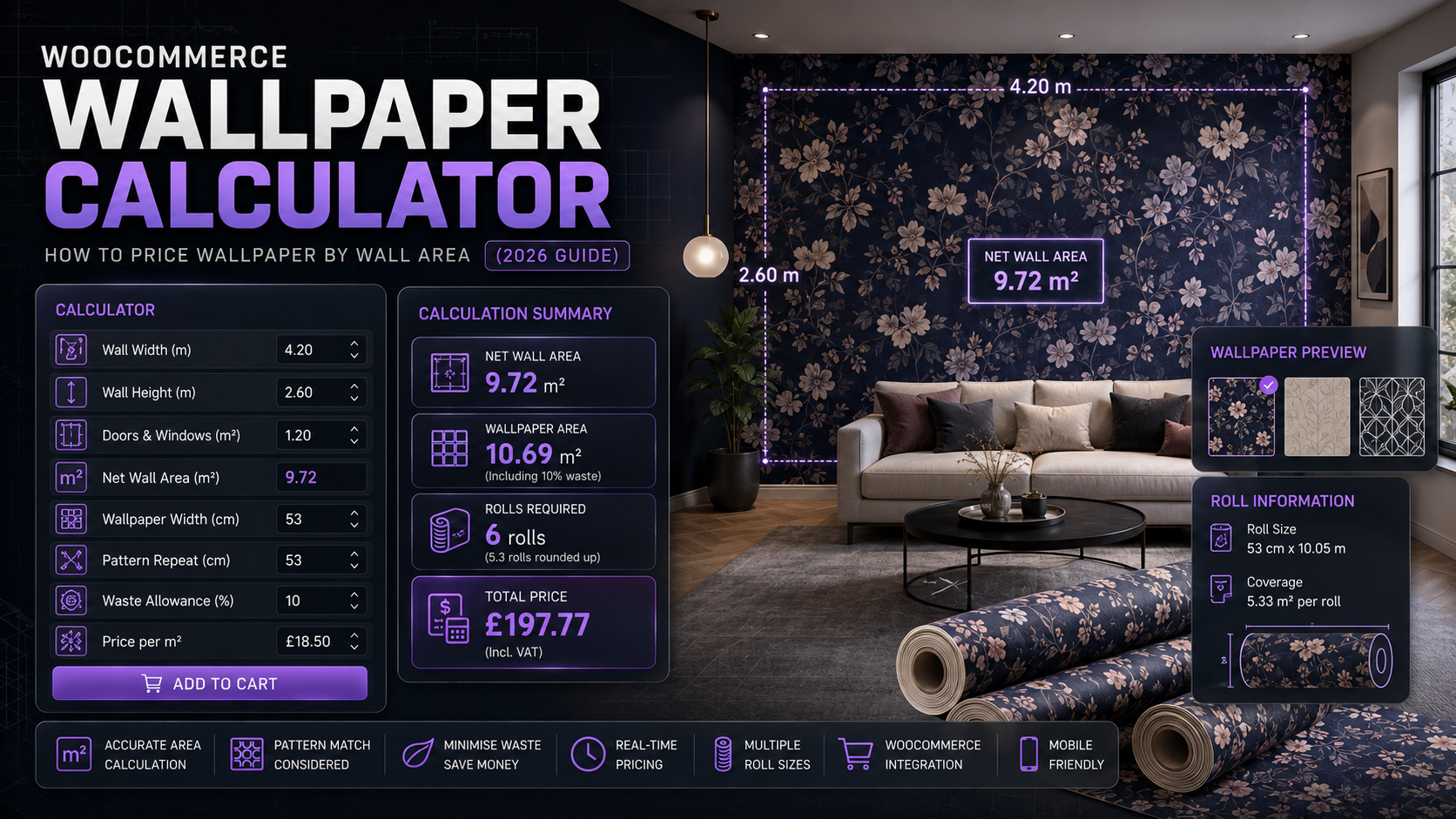
If you sell wallpaper through WooCommerce, the pricing problem is familiar: customers know their wall’s height and width, not how many rolls that translates to — and getting that wrong is a common cause of running short mid-job or over-ordering rolls that don’t get used.
Selling wallpaper as a fixed quantity forces customers to work out roll counts themselves, which most get wrong, especially once pattern matching is involved. A calculator that takes wall dimensions and returns a price removes that guesswork.
This guide covers the area calculation wallpaper needs, and how to set it up in WooCommerce.
Why wallpaper wastage depends heavily on the pattern repeat
The calculation itself is the same area-based approach used for flooring or tile, but the wastage reasoning is specific to wallpaper:
- Pattern repeat matching — wallpaper with a large pattern repeat wastes significantly more material than a plain or small-repeat design, since each drop has to align with the one before it
- Drop height vs. wall height — rolls are cut in fixed-length drops, and any wall height that doesn’t divide evenly into the roll’s usable drop length wastes the remainder
- Corners and awkward wall shapes — internal and external corners, alcoves, and door/window reveals all add cutting waste beyond the flat wall area
Because of the pattern repeat factor specifically, wallpaper wastage varies more product-to-product than most area-priced categories — a plain paint-effect paper and a large-repeat botanical print shouldn’t use the same wastage percentage.
The formula
Using the Area calculator type, the same one used for flooring and tile:
Area = Wall height × Wall width
Price = Area × (1 + wastage %) × price per m²
For example: a wall measuring 2.4m × 5m, with 15% wastage for a moderate pattern repeat, at £22 per m²:
Area = 2.4 × 5 = 12m²
Price = 12 × 1.15 × £22 = £303.60
For a plain or small-repeat wallpaper, a lower wastage figure (closer to 10%) may be more accurate; for a large, striking pattern repeat, 20% or more may be appropriate. Setting this per product rather than using one figure across your whole range keeps pricing realistic for both ends of that spectrum.
Setting this up in WooCommerce
The usual approaches:
1. Manual quoting. Common for made-to-measure or bespoke wallpaper work, but doesn’t scale and needs a person on every order.
2. Generic quantity-input plugins (“how many rolls do you need”). These leave the roll-count calculation and pattern-repeat wastage entirely up to the customer, who usually doesn’t know either figure.
3. A purpose-built area-based pricing calculator, configured with a wastage percentage matched to the specific pattern’s repeat size.
This is what Woo State Calculator is built for — the Area calculator type takes wall height and width, applies your chosen wastage percentage, and updates the price live as dimensions are entered, recalculating server-side at checkout. It’s built on State.js, so there’s no jQuery dependency and no layout shift while it updates.
What to check before you buy any calculator plugin for wallpaper
- Can you set a different wastage percentage per product, to reflect different pattern repeats?
- Does the price update live as wall dimensions are entered?
- Is the price recalculated server-side at checkout?
- Can you set a minimum charge, so very small areas don’t undercut what’s worth cutting and packaging?
FAQ
How do I decide the right wastage percentage for a specific pattern? As a rough guide: plain or small-repeat patterns can often use around 10%, moderate repeats around 15%, and large or striking repeats 20% or higher — it’s worth reviewing actual order outcomes over time and adjusting per product.
Does this calculate the number of rolls needed? Not directly — it calculates area-based price rather than a roll count; if you want customers to see an estimated roll count as well as price, that would need to be communicated separately (e.g. in the product description) alongside the calculator.
Can I use this for wall coverings other than traditional wallpaper, like wall panels or murals? Yes — anything priced by wall area rather than a fixed unit fits the same Area calculator type, with wastage adjusted to reflect that product’s specific cutting or matching requirements.
Selling wallpaper, wall panels, or another area-priced wall covering through WooCommerce? Woo State Calculator handles the area and wastage calculation for you.
Leave a Reply