
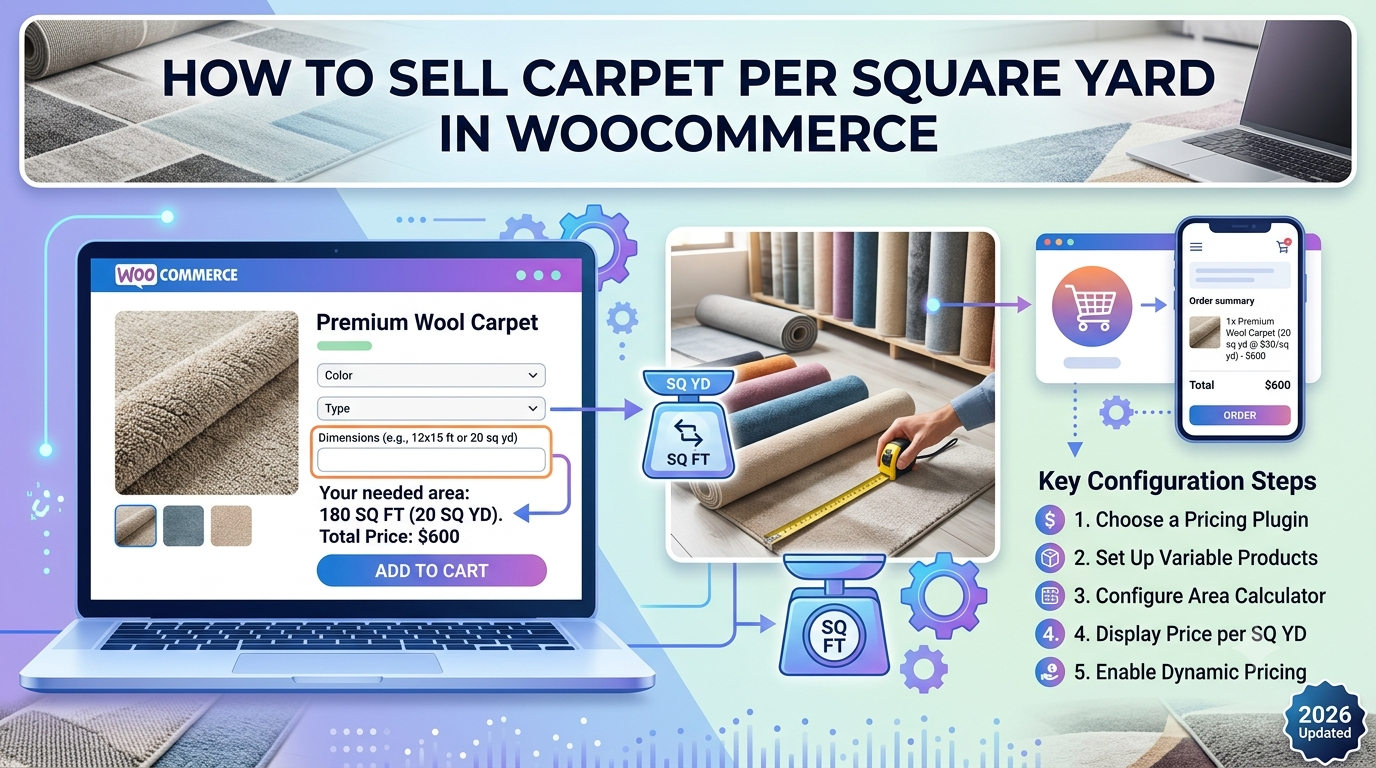
Many carpet retailers price products by the square yard rather than selling fixed-size rolls. Customers simply enter the dimensions of their room, hallway or office, and the final price is calculated automatically.
WooCommerce can handle this type of measurement-based pricing with the right setup, allowing customers to receive instant quotations without requesting manual estimates.
In this guide we’ll show you how to sell carpet per square yard in WooCommerce.
Why Sell Carpet by Square Yard?
Every flooring project is different.
Customers rarely purchase identical quantities, making fixed product prices impractical.
Instead, customers provide measurements such as:
- Room width
- Room length
The total area is then calculated before multiplying it by your price per square yard.
For example:
Room Width: 5 yards

Room Length: 4 yards

Area = 20 square yards
If your carpet costs $38 per square yard, WooCommerce automatically calculates:
20 × $38 = $760Problems with Standard WooCommerce Pricing
Selling carpet using standard WooCommerce products often results in:
- Hundreds of unnecessary variations
- Manual quotations
- Pricing mistakes
- Customers abandoning purchases
- Increased administration
Measurement-based pricing removes these problems by calculating prices automatically.
Extra Costs Carpet Retailers Often Include
Many businesses also need to calculate:
- Underlay
- Wastage allowance
- Stair fitting
- Pattern matching
- Premium materials
- Installation
- Delivery
These costs can all be incorporated into dynamic pricing formulas.
Automatic Measurement Pricing
Customers simply enter:
- Width
- Length
WooCommerce can then:
- Calculate the area
- Apply your price per square yard
- Add optional services
- Display a live total price
This creates a much faster purchasing experience while reducing manual work.
Why Live Pricing Improves Conversions
Customers want to know exactly what they’ll pay before reaching the checkout.
Instant pricing helps to:
- Reduce quotation requests
- Increase buyer confidence
- Speed up purchasing
- Reduce pricing errors
- Improve customer experience
Using Woo State Calculator
Woo State Calculator allows WooCommerce merchants to calculate prices using customer measurements.
It supports pricing by:
- Square yards
- Square feet
- Square metres
- Length
- Volume
- Perimeter
You can also create pricing formulas that include:
- Minimum charges
- Wastage percentages
- Installation fees
- Handling charges
- Custom pricing logic
This makes it suitable for carpet retailers, flooring suppliers and other businesses selling made-to-measure products.
Learn more:
Related Guides
WooCommerce Flooring Price Calculator: How to Sell Flooring by Area (2026 Guide)
WooCommerce Calculate Square Feet: Sell Products by Area (2026 Guide)
WooCommerce Formula Pricing: How to Price Products by Area, Volume or Length (2026 Guide)
How to Sell Flooring Online (Complete 2026 Guide)
Frequently Asked Questions
Can WooCommerce calculate carpet prices automatically?
Yes. By using measurement-based pricing, customers can enter room dimensions and WooCommerce calculates the total price automatically.
Can I charge for underlay and fitting?
Yes. Pricing formulas can include additional services such as underlay, installation, fitting and wastage allowances.
Can customers see prices update instantly?
Yes. Live price updates provide immediate feedback as customers change their measurements, helping reduce uncertainty before checkout.
Conclusion
Selling carpet per square yard in WooCommerce doesn’t require manual quotations or complex product variations. By using dynamic measurement pricing, retailers can automatically calculate prices from customer-entered dimensions while including additional services such as fitting, underlay and wastage.
This creates a smoother buying experience for customers while reducing administration and helping carpet retailers sell made-to-measure flooring online more efficiently.
Leave a Reply