
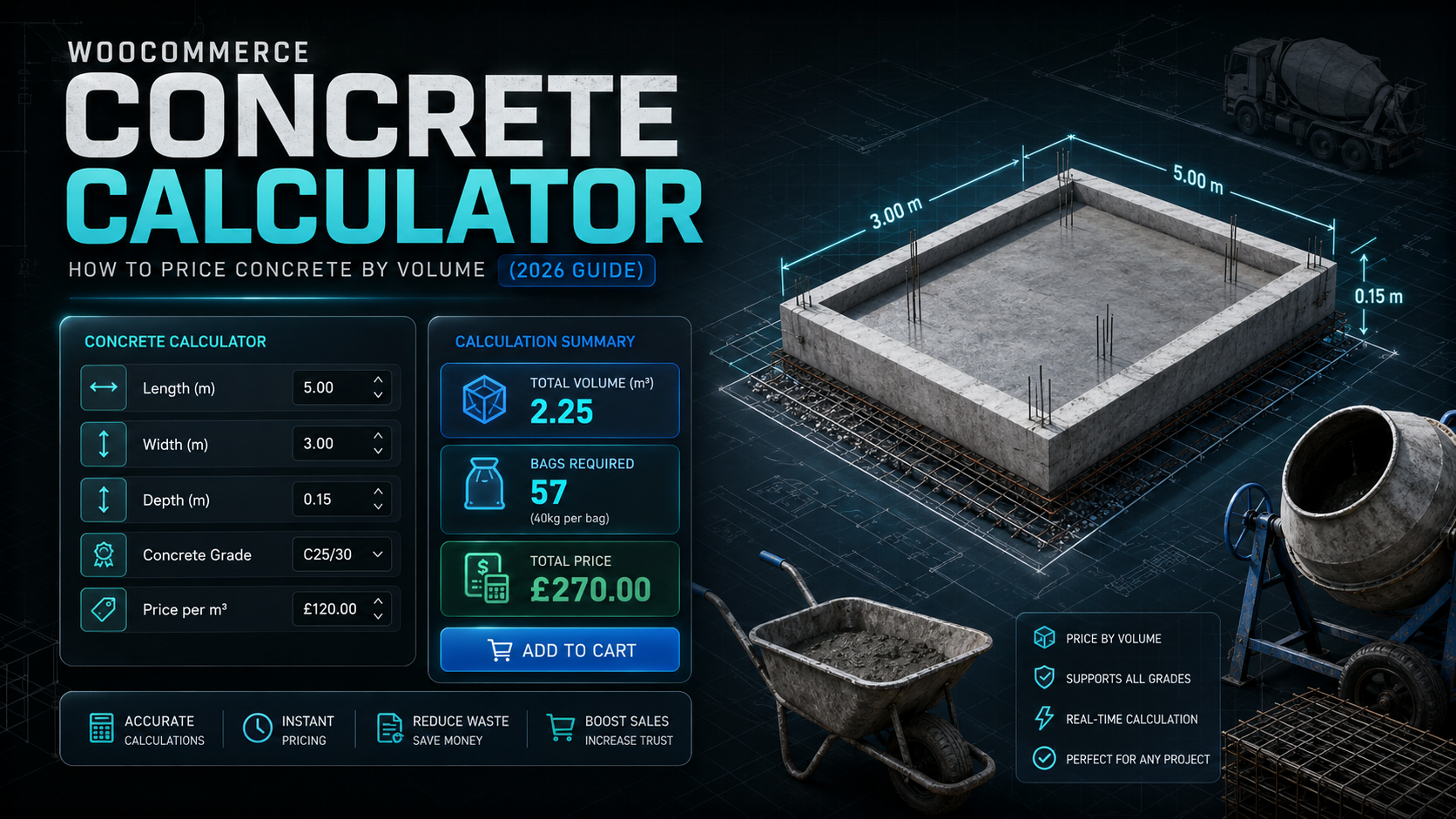
If you sell concrete, screed, or aggregate through WooCommerce, the pricing problem is different again from flooring or fencing: concrete is priced by volume, not area or length, and getting that calculation wrong is expensive — for the customer and for you, since short-filled or over-ordered concrete both cause real problems on site.
Customers know their slab, base, or footing’s length, width, and depth. They don’t know — and shouldn’t have to work out — how many cubic metres that translates to. Standard WooCommerce has no concept of “price this based on the volume these three measurements produce.”
This guide covers the volume calculation concrete needs, and how to set it up in WooCommerce.
Why concrete pricing is a volume problem, not an area problem
A useful concrete calculator needs to:
- Take three dimensions, not two — length, width, and depth (or height), since concrete fills a volume rather than covering a surface
- Apply a wastage allowance automatically — for spillage, uneven subgrade, and formwork tolerance; concrete typically needs a smaller allowance than something like fabric, since it’s poured rather than cut, but it still matters on larger volumes where even a small percentage is a meaningful cost
- Update the price live as all three dimensions are entered, so customers can adjust before committing
- Recalculate server-side at checkout, so the price shown can’t be manipulated in the browser before the order is placed
The formula
For a volume-priced product like concrete, the calculation is:
Volume = Length × Width × Depth
Price = Volume × (1 + wastage %) × price per m³
For example: a base measuring 4m × 3m at 0.15m (150mm) depth, with 5% wastage, at £120 per m³:
Volume = 4 × 3 × 0.15 = 1.8m³
Price = 1.8 × 1.05 × £120 = £226.80
The depth measurement is easy to get wrong if it’s entered in the wrong unit (millimetres vs. metres) — a calculator that’s set up correctly for the product should make clear which unit the depth field expects, since a customer entering “150” instead of “0.15” produces a wildly incorrect price otherwise.
Setting this up in WooCommerce
The usual paths:
1. Manual quoting. Common for larger concrete orders, but still needs a person to do the volume maths and respond before a customer can commit.
2. Generic quantity-input plugins. These let a customer enter a number, but almost none calculate volume from three separate dimensions or apply a wastage percentage — the customer would need to already know their required cubic metreage, which most don’t.
3. A purpose-built volume-based pricing calculator, with a concrete preset that sets the calculation type and wastage percentage for you.
This is what Woo State Calculator is built for — it includes a one-click Concrete preset (volume-based pricing with 5% wastage set by default, fully adjustable), calculating from length, width, and depth with the price updating live as each is entered, and recalculated server-side at checkout. It’s built on State.js, so there’s no jQuery dependency and no layout shift while it updates.
What to check before you buy any calculator plugin for concrete
- Does it calculate from three dimensions (length, width, depth), not just two?
- Is the depth/height unit clearly labelled, so customers don’t enter millimetres where metres are expected?
- Does it apply a wastage allowance automatically?
- Is the price recalculated server-side at checkout, not just trusted from the browser?
FAQ
What wastage percentage should I use for concrete? 5% is a common starting point, covering spillage and subgrade unevenness — heavier wastage allowances are usually more relevant for cut materials like fabric or tile than for poured concrete.
Does this account for different concrete mixes or strengths? Not directly — mix/strength is generally reflected in the price per m³ you set for that product, rather than a separate factor in the volume calculation itself.
What if the area isn’t a simple rectangle (e.g. an L-shaped base)? Most stores ask customers to break an irregular shape into rectangular sections and total the volumes, or enter a pre-calculated total volume directly, rather than modelling complex shapes inside WooCommerce.
Selling concrete, screed, or another volume-priced product through WooCommerce? Woo State Calculator includes a ready-made Concrete preset to get set up in minutes.
Leave a Reply